LESS SCROLLING. MORE KEEPING.
video download TikTok

tiktok video download

Keep the scroll-stoppers.

Free tiktok video download, straight from a link. Save supported public TikTok videos to your phone or computer.

TikTokPublic videos

https://www.tiktok.com/@creator/video/…

100% free
Free to use No account needed Nothing to install

For videos you own or have permission to download.

A SMALL TOOL FOR THE GOOD STUFF.

A LINK. A CLICK. A KEEPER.

tiktok video download, made simple.

Copy the link. Generate your options. Your tiktok video download is a few clicks away.

01 — 03
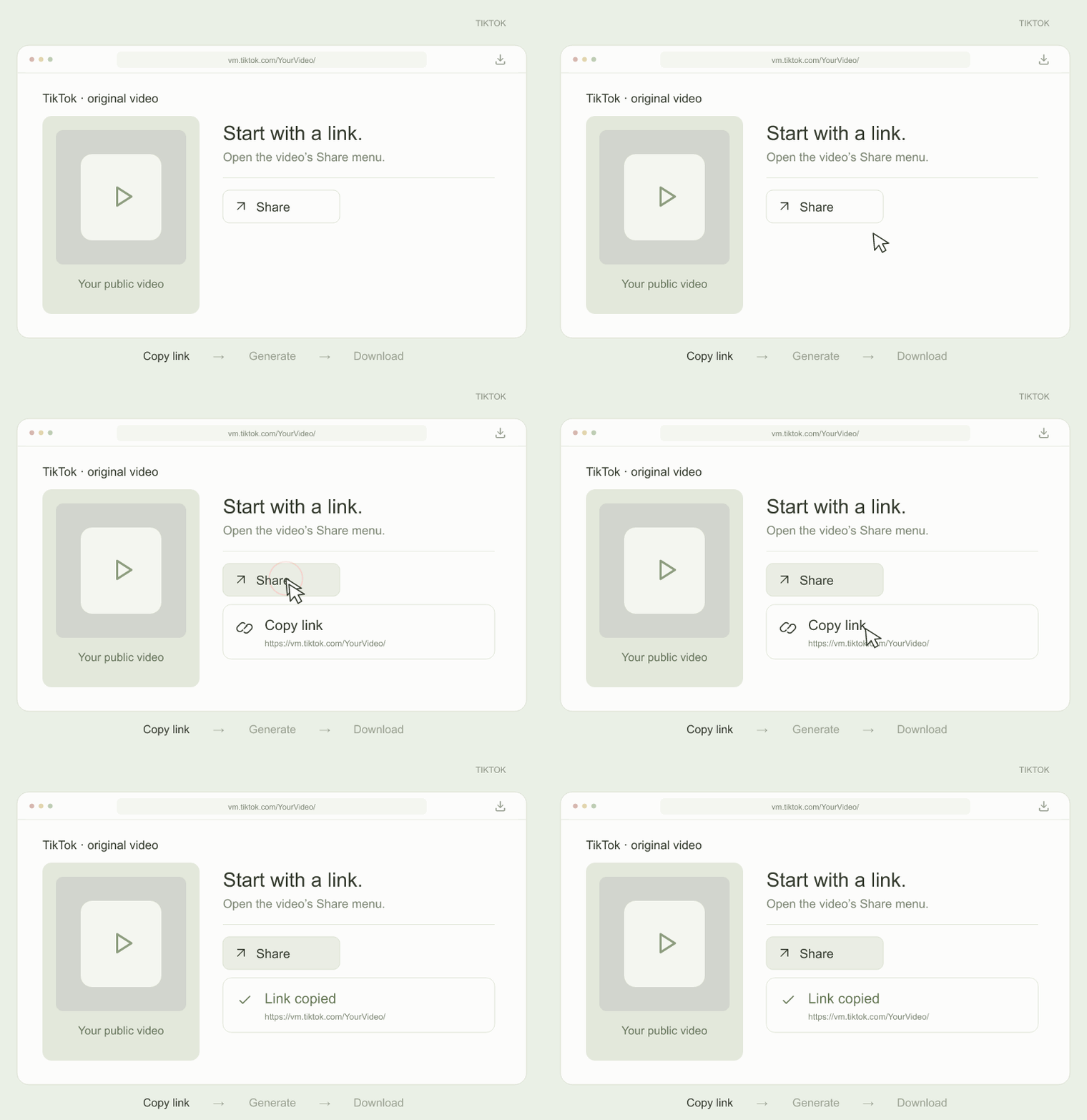
tiktok video download example: Copy the video linkSTEP 01 · DEMO
01

Copy the video link

Open a public TikTok video and copy its link from the Share menu.

tiktok video download
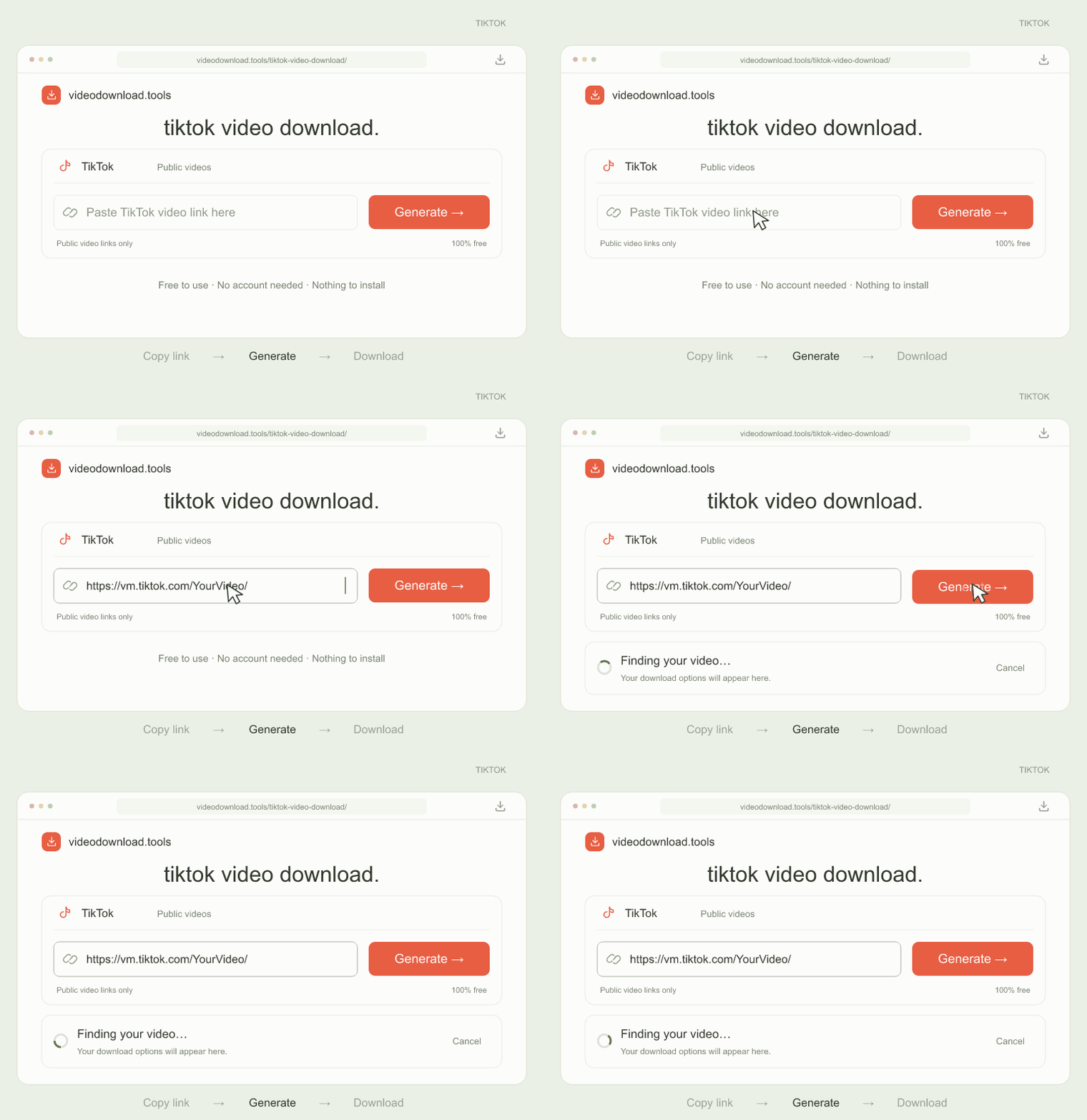
tiktok video download example: Paste. Then generate.STEP 02 · DEMO
02

Paste. Then generate.

Paste your link in the tiktok video download box and click Generate.

tiktok video download
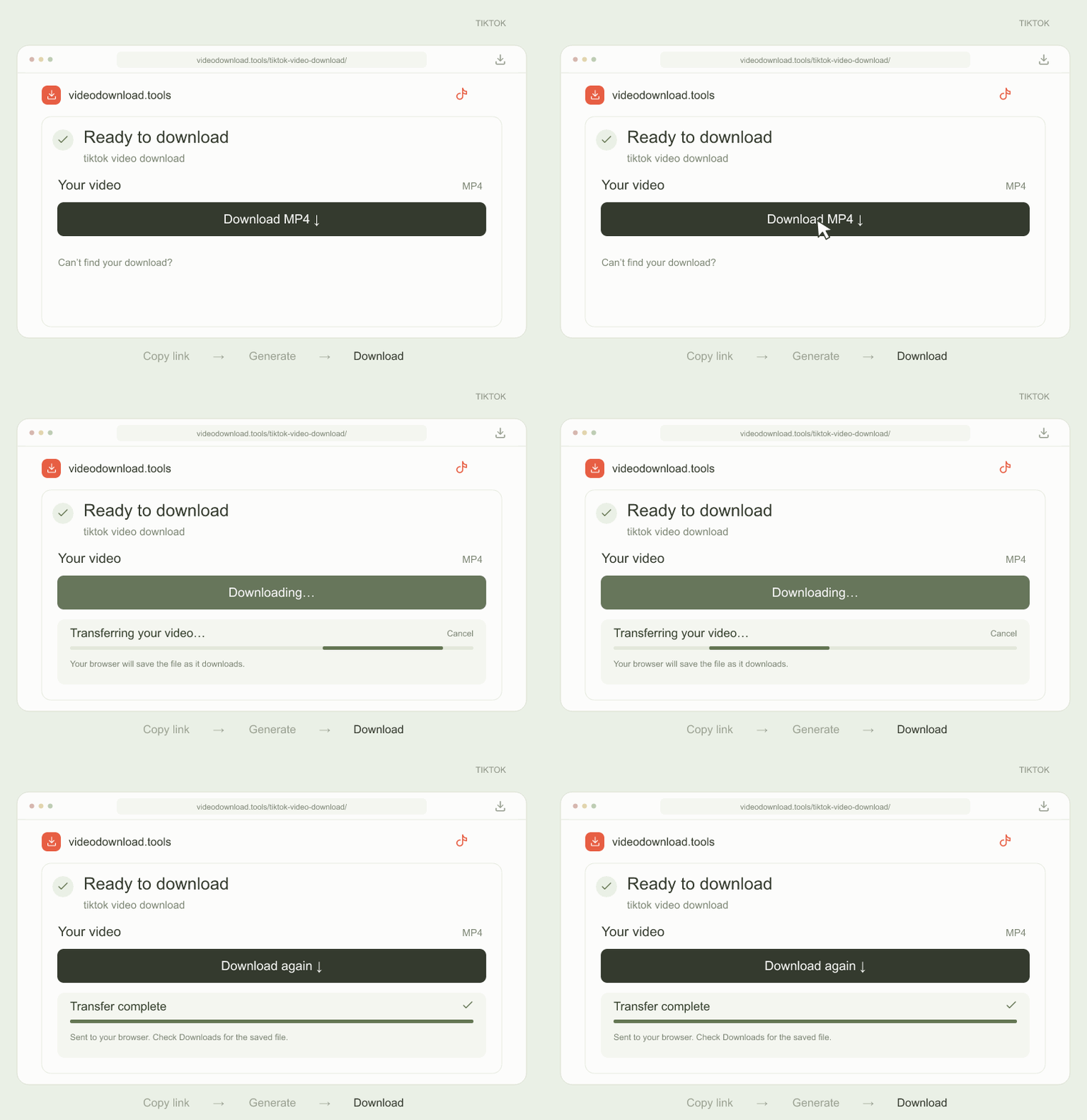
tiktok video download example: Download your videoSTEP 03 · DEMO
03

Download your video

Click Download to save your video and follow your tiktok video download progress.

tiktok video download

Built for your browser. Made for your everyday.

GOOD QUESTIONS. SIMPLE ANSWERS.

tiktok video download
questions, answered.

Everything you need to know about tiktok video download, all in one place.

Start your tiktok video download

Is tiktok video download free?

Yes. tiktok video download is free for supported public videos. There is no subscription and no account to create on this website.

How do I use tiktok video download?

In TikTok, open a public video, tap Share and choose Copy link. Paste that link into the tiktok video download box, click Generate and choose an available video file.

Does tiktok video download accept short links?

Yes. tiktok video download accepts supported vm.tiktok.com and vt.tiktok.com short links, as well as full tiktok.com/@creator/video/ links. Links must point to an individual video.

Does tiktok video download remove watermarks?

tiktok video download does not add its own watermark or edit the source video. Whether an unwatermarked source file is available depends on the video and the files TikTok makes accessible.

Can I use tiktok video download on Android or iPhone?

Yes. tiktok video download works in current mobile browsers. Save the generated file and look in your browser’s downloads or your device’s Files app.

Why is tiktok video download not working?

tiktok video download can fail if a video is private, removed, restricted in the server’s location, or TikTok temporarily limits access. Copy a fresh link to a public video and try again.

Does tiktok video download support photo slideshows?

This tiktok video download tool is designed for video files. Photo slideshows, live streams and entire profiles are not supported.

KEEP SOMETHING GOOD.

Ready for your next tiktok video download?

Keep the recipe, the idea, the moment. Start with a link.

Start tiktok video download

A little tool. A simpler workflow.

videodownload.tools brings instagram video download, tiktok video download and youtube video download into one simple interface.

Paste a supported public video link to find an available file. Availability, format and quality depend on the original video and the connected processing services.

Privacy, kept simple.

Your submitted public video link is sent to our processing providers to find a downloadable file. If one provider fails, another may receive the link. We never ask for your social account password.

For a first download, video bytes stream to your browser while a background task saves a copy in Cloudflare R2. Supabase records completed file metadata and usage analytics, not a reusable cache of source download links. Later downloads use the R2 copy; missing or broken files are retrieved again. Cached videos are retained until removed and have no automatic link expiry.

With usage analytics enabled, anonymous visitor and session cookies connect your visits, referral domain and campaign, approximate country/region/city, language, device/browser type, page engagement, submitted videos/authors, and download outcomes. We do not store your IP address in these analytics tables or infer your age, gender, profession or sensitive traits. Optional feedback is self-reported.

Google Analytics 4 also measures page visits, traffic sources and download actions when analytics is enabled. It uses its own analytics cookies. Submitted video links, creator names and our internal profile IDs are not included in our custom Google Analytics events. Advertising personalization and Google signals are disabled.

Detailed events are retained for 90 days, download outcomes for up to 365 days, and inactive visitor profiles for up to 365 days. Approximate location may be inaccurate. Hosting and processing providers may keep their own operational logs.

Global Privacy Control and Do Not Track are respected. Turning analytics off stops new profile events; downloads still work.

A few things to keep in mind.

Use video download only for content you own or have permission to save. Respect the source platform’s rules and the creator’s rights.

Downloads depend on source availability and may fail for private, removed or restricted videos. Temporary links expire. The illustrated examples demonstrate the workflow and do not process a real video.

Let’s keep it simple.

Contact information has not been configured. A working support address will be added here before public launch.